
Add Your Services and Pricing
By Wayne Scott
Your services are the heart of your DomusVesta profile. They tell households exactly what you do, where you do it and how you charge for it. DomusVesta is built around clear, fair pricing, so there is no bidding war and no pressure to undercut anyone. You set out your work honestly, you control your own pricing, and households choose you on the strength of what you offer.
This guide shows you how to add a service from start to finish. You can add as many services as you genuinely offer, and you can edit them later whenever you need to.
Step by step
-
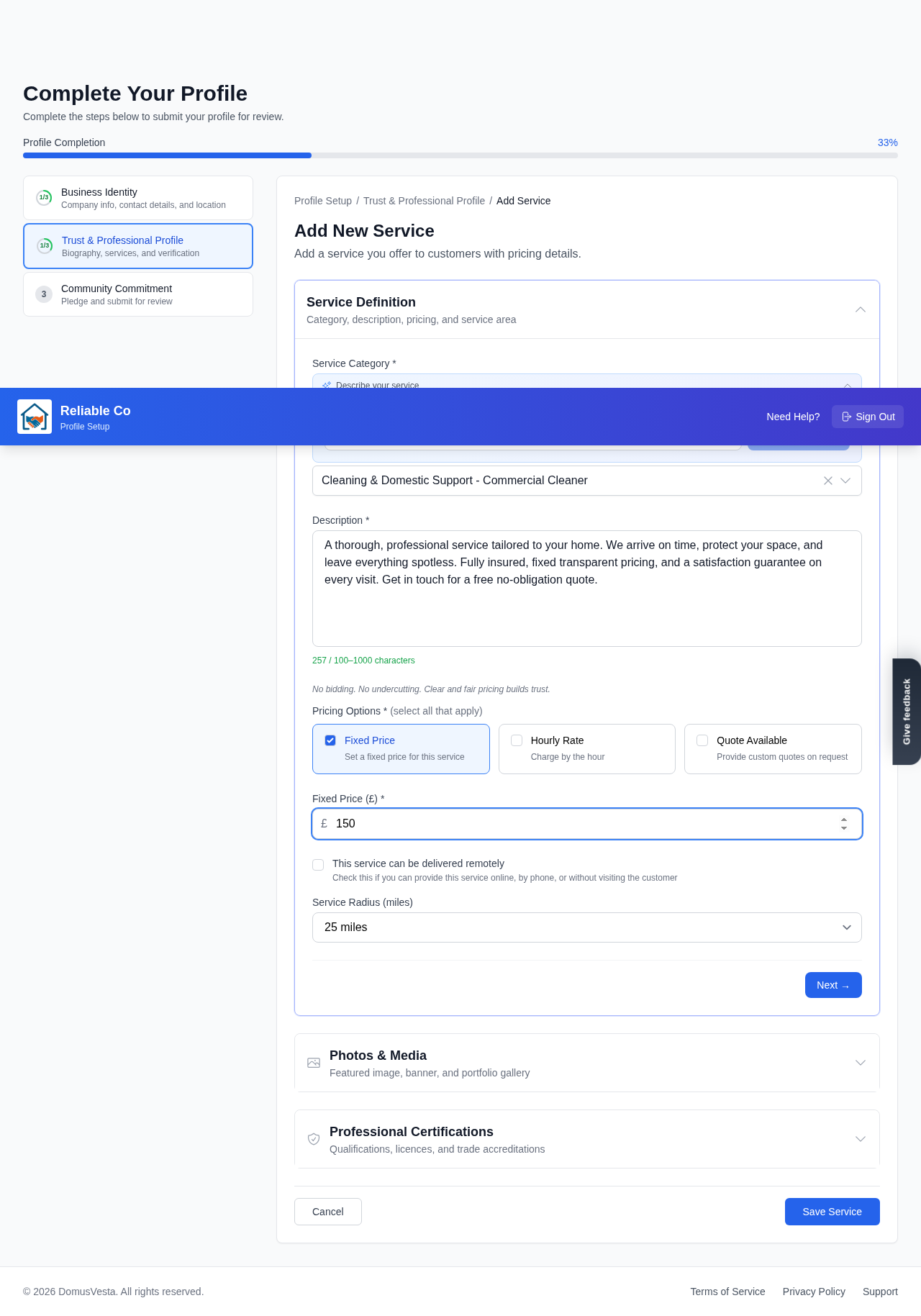
Open your services. Go to your Trust & Professional Profile section and open your services. This is where every service you offer is listed and managed.
-
Start a new service. Select + Add Service to begin. Each service is added one at a time, so you can describe each piece of work properly.
-
Choose the category. Pick the relevant category and subcategory that best fit the work. This is how households find you when they search, so choosing accurately helps the right people reach you.
-
Name and describe the service. Give the service a clear name and write a short description. Be specific about what is included so households know exactly what they are getting. A plain, honest description does more to win trust than a vague one.
-
Choose how you price it. Select your pricing type from Fixed price, Hourly rate or Quote. You are not limited to one. You can offer more than one pricing option on the same service if that reflects how you work, for example an hourly rate for small jobs and a quote for larger ones.
-
Set the price. Enter the price for the option you have chosen. Because DomusVesta does not run any kind of bidding or undercutting, the figure you set is the figure households see, presented clearly and fairly. You are in full control of your own pricing here.
-
Set your Service Radius. Set your Service Radius in miles so households know how far you travel. If the work is not tied to a location, tick Remote Service instead, and the service will be offered without a travel radius.
-
Add photos of your work. You can add photos to show the quality of what you do. Good photographs of finished work are one of the most persuasive things on a profile, so include a few if you have them.
-
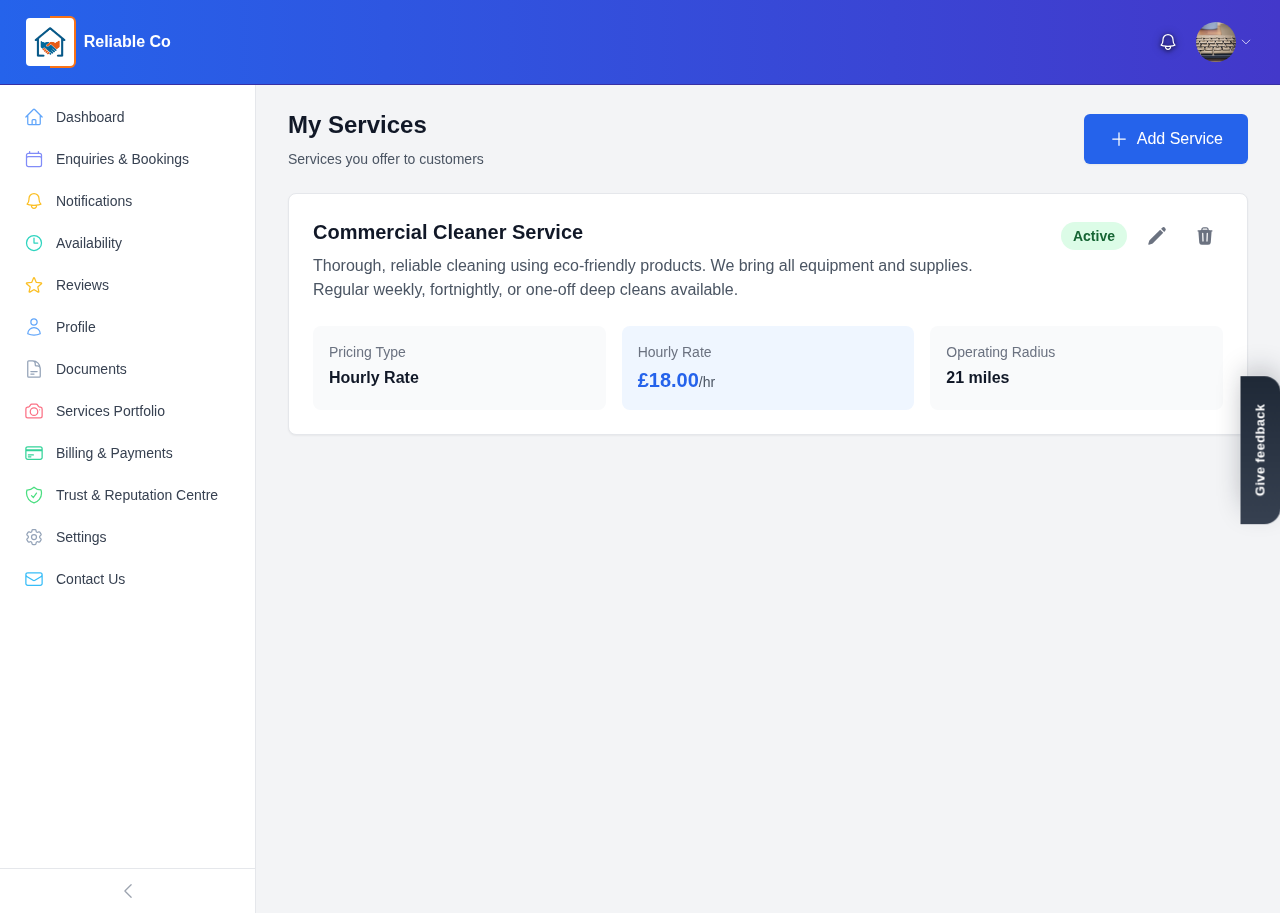
Save and repeat. Save the service, then use + Add Service again for each additional service you offer. Build up a full picture of your work so households can see the range of what you provide.
You are in control of your pricing
It is worth saying plainly: your prices are yours. DomusVesta does not set them, does not invite others to undercut them, and does not take any commission on the work you agree. The platform is designed so that fair, transparent pricing is the norm, which protects both you and the households you work with. You decide what your work is worth, and households see it presented clearly alongside your reviews and verification.
Editing your services later
Nothing is set in stone. You can edit your services at any time as your business changes, whether that means updating a price, refining a description, adjusting your Service Radius, adding new photos or introducing a brand-new service. Keeping your services current means households always see accurate information, which leads to better-matched enquiries.
What pairs well with strong services
Clear services work best alongside the documents that prove your standards. Some services require a specific certification, and once that document is verified it appears as a badge on the relevant service. To make sure your services are backed by the right proof, see our guide on how to upload documents and get verified.
You are shaping how households will find and choose you, so take your time and set out your work with pride. When your services are ready, complete the rest of your profile and submit it for review to secure your Founding Member place. We are glad to help you put your best work forward.
Looking for a trusted local pro?
Find a trusted how it works near you →